
Enabling and checking for updates
When the application is launched for the first time, WinSparkle does nothing yet, so that it doesn’t distort the user’s first impression of the app. It’s only when the user uses the app for the second time that they are asked if they want to check for updated versions:
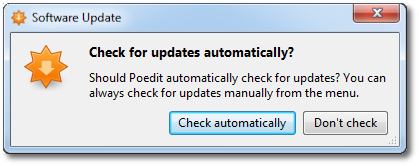
If the user agrees, WinSparkle will look for updates periodically on app startup. No UI is shown during the check; everything happens silently in the background. When a newer version appears in the appcast, WinSparkle pops up a window with information about the update, including HTML release notes if they are provided:
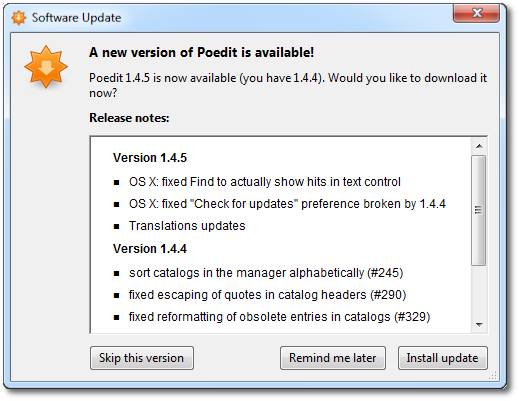
Users can skip an update if it isn’t worth downloading for them, or if they’re too busy at the moment. Remind me later simply postpones the notification until the next time the app is used.
Install update downloads the new version’s installer and launches it.